05.06.2026 by Infogram Team
If you’ve ever stared at a spreadsheet full of data wondering how to make it actually mean something to your audience, you already understand why the best AI infographic generator tools have become essential in 2026. Visual content drives engagement, improves retention, and communicates complex ideas faster than any wall of text ever could. And with AI now doing the heavy lifting on design and layout, there’s no longer a reason to struggle with blank canvases or expensive design software.
This guide walks you through the top 10 tools worth your time: what each one does well, who it’s built for, and where it fits in the broader landscape.
What Makes a Great AI Infographic Generator?
Before diving into the list, it helps to understand what separates a genuinely useful best AI infographic generator from a glorified template picker. The strongest tools in 2026 share a few qualities: they reduce manual design work through prompt-based generation, handle data intelligently (not just aesthetics), support interactivity or embedding, and let non-designers produce professional results without a learning cliff.
With that in mind, here are the 10 tools that stand out this year.
1. Infogram
If your infographics need to do more than look good, if they need to work with live data, respond to user interaction, and embed seamlessly into a website or report, Infogram is worth a serious look.
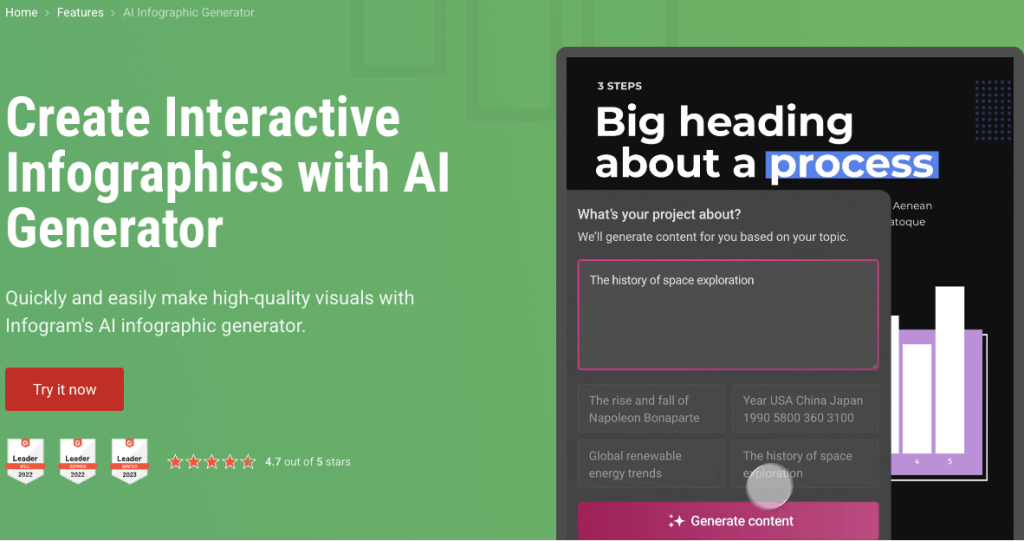
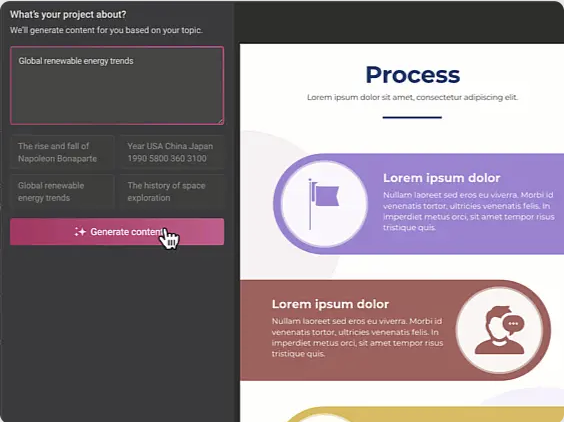
What distinguishes Infogram from most tools in this category is its focus on data-driven, interactive visual content. Its AI infographic generator lets you describe a topic or paste in your data, and the system generates a structured infographic with appropriate layouts, chart types, and visual hierarchy in seconds. You can then refine the output, swap templates, edit text, or add elements like animations, hover tooltips, and clickable regions.
That last part matters more than it might seem. Most infographic tools export a static image. Infogram outputs interactive content that can be embedded directly on websites, blogs, and dashboards: no coding required. When you update the underlying data, the published visual updates too. For journalists, marketers, analysts, and NGOs communicating with numbers, this is a meaningful difference.
Beyond AI generation, Infogram brings an extensive feature set: over 35 chart types, 800+ customizable maps, a royalty-free asset library, brand kit integration, WCAG 2.2 accessibility compliance, and SOC 2 Type 2 security certification. It also supports data imports from MySQL, PostgreSQL, spreadsheets, and other sources, making it practical for teams working with real, live datasets rather than just static visuals.
More than 30,000 companies use Infogram, and it holds a 4.7-star rating on G2, where it has been recognized as a leader in data visualization software.
Best for: Data professionals, media teams, marketers, and anyone who needs infographics that do more than sit still.
2. Canva
Canva is a widely used general-purpose design platform with AI-assisted layout generation built in. Its Magic Design feature can produce infographic drafts from text prompts, and the template library covers a broad range of formats and styles. It works well for social media content, marketing collateral, and quick visual assets.
Best for: Content creators and marketers focused on visual design and speed of output.
3. Visme
Visme is a multi-format visual communication platform covering infographics, presentations, reports, and interactive content. Its AI tools support prompt-to-infographic generation, content editing, and chart recommendations. It includes collaboration features, brand kit management, and HTML5 export options.
Best for: Marketing teams and agencies needing a broader visual content platform beyond infographics alone.
4. Piktochart AI
Piktochart offers an AI-assisted creation flow where users describe or upload their content and receive a structured infographic in return. The platform is designed with accessibility in mind for non-designers, and it covers common use cases like process diagrams, statistical summaries, and presentation-ready visuals.
Best for: Teams and individuals looking for structured infographic creation without a design background.
5. Venngage
Venngage is a business-oriented infographic tool with an AI generator that accepts prompts, uploaded documents, or CSV files. It offers a large template library and supports multi-section infographic creation, making it a practical option for teams that regularly produce reports, summaries, and communication materials.
It’s particularly oriented toward text-heavy content that needs to be translated into a visual format quickly.
Best for: Business communication, HR, internal reporting, and educational content.
6. Adobe Express
Adobe Express is a design tool within the Adobe ecosystem that offers template-based infographic creation with AI-assisted layout generation. It integrates with other Adobe products and is suited for users already working within Creative Cloud workflows. It handles general-purpose graphics and simple infographic formats.
Best for: Teams already using Adobe Creative Cloud who want a consistent design workflow.
7. Microsoft Designer
Microsoft Designer is an AI-powered design tool that integrates with Microsoft 365 applications including Word, PowerPoint, and Excel. It generates visual layouts from prompts and fits naturally into existing Microsoft workflows. It is oriented toward quick visuals and presentation-ready graphics within that ecosystem.
Best for: Organizations using Microsoft 365 who want AI design assistance within familiar tools.
8. Microsoft Designer
Napkin AI converts written text into simple visual diagrams and concept graphics. It is designed for speed: paste in a paragraph and receive a shareable visual output quickly. It focuses on concept visualization rather than data-driven infographics, making it a lightweight option for quick ideation and explainer content.
Best for: Writers and strategists who need to turn written ideas into simple visuals fast.
9. Beautiful.ai
Beautiful.ai is a presentation-focused design tool with smart slide and layout automation. Its AI adjusts design elements as content is added, reducing manual formatting work. While primarily built for slide decks, it covers some infographic-style content within its template set.
Best for: Teams that produce presentations and want design automation built into the creation process.
10. Xtensio
Xtensio focuses on structured business documents and one-page visual formats such as personas, strategy canvases, and executive summaries. It has added AI generation features for these specific content types and produces clean, shareable outputs suited to business contexts.
Best for: Startups and consultants who need professional, structured business documents in a visual format.
How to Choose the Best AI Infographic Generator
With so many options available, the right choice comes down to a few key questions.
What does your data look like? If you’re working with live spreadsheets, databases, or metrics that update regularly, you need a tool built for data integration, not just image generation. Platforms purpose-built for data visualization handle this natively, while general-purpose design tools often treat data as secondary.
Will your infographic live online? A static image shared in a document has different requirements than an interactive graphic embedded in a news article or product page. If your audience engages with content in a browser, interactivity and embeddability become essential, not optional.
Who is creating it, and how often? A solo designer producing occasional visuals has different needs than an analyst publishing weekly data updates at scale. Match the tool’s feature depth to the actual workflow, not just the headline capabilities.
Final Thoughts
The best AI infographic generator for your team is the one that fits how you work with data and how your audience consumes it.
For teams where data accuracy, interactivity, and embeddability matter – media organizations, marketing departments, researchers, nonprofits – a tool like Infogram, built from the ground up for data-driven visual storytelling, addresses those needs directly. For general design and content creation, the other platforms on this list each serve their specific use cases well.
Most tools offer a free tier or trial period. The most effective way to find your best AI infographic generator is to run your actual content or data through a few options and see which output aligns closest with what you need, in a fraction of the time it would take to build manually.
Get data visualization tips every week:
New features, special offers, and exciting news about the world of data visualization.